
Users and roles
Only the people who manage the manual sign in to the panel – each with their own account and a role that defines what they can do. Visitors to the manual need no account.
User or visitor?
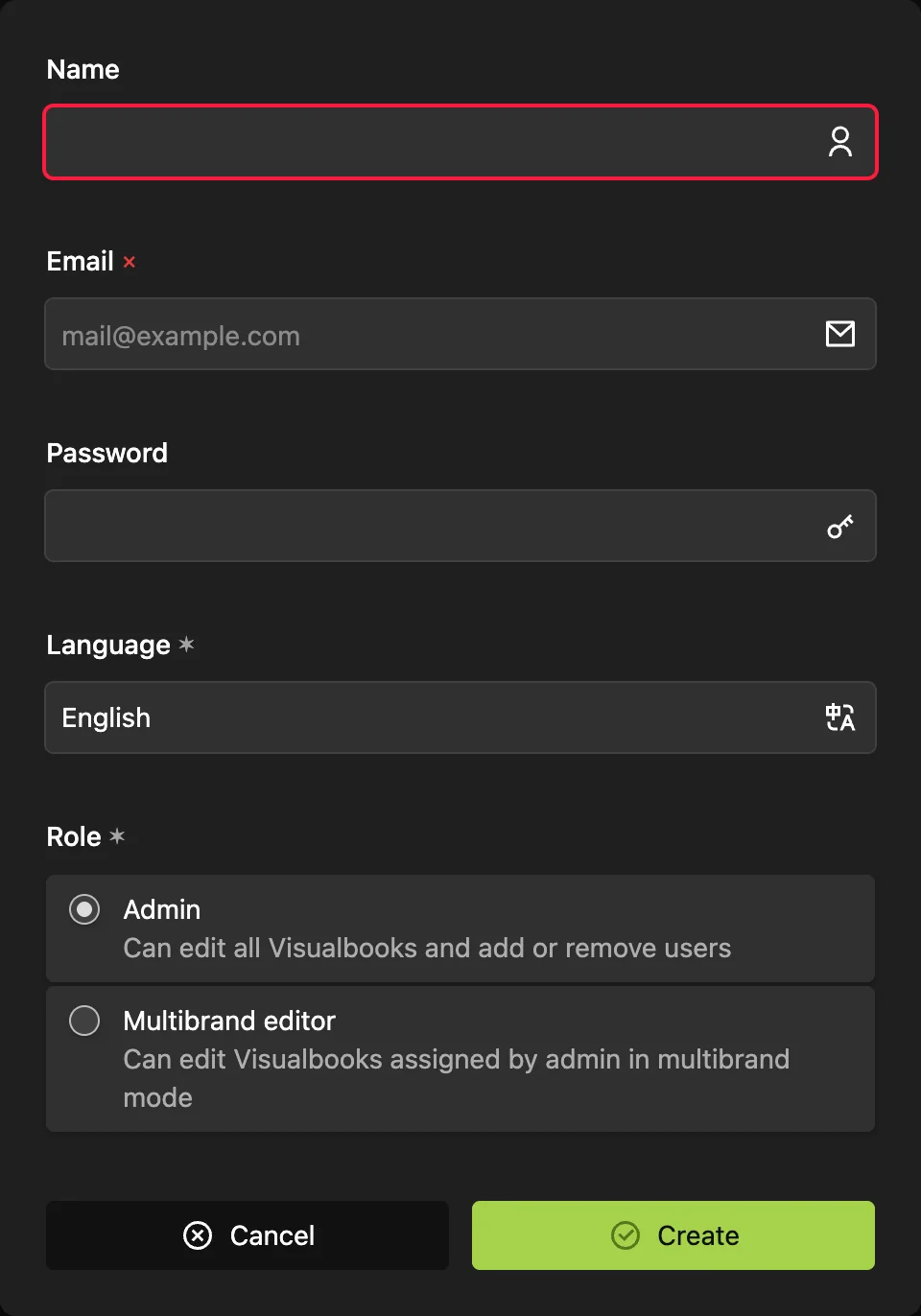
A user has a panel account and edits the manual. They sign in with their email and password, or with a code sent by email. You find the list of users in the panel under Users.
A visitor only reads the manual on the site and needs no account. Even locked content opens with a password or a company email – see How access and privacy work. Visitors do not count towards your users.
Three roles
| Panel role | For whom | What it can do |
|---|---|---|
| Admin | the person managing the manual at a company or an agency | edits the whole manual, Design and Settings, adds and removes users, sees Analytics and Redirects |
| Multibrand editor | a colleague who looks after only some brands in a multibrand manual | edits only the assigned brands and the pages below them; does not see Design, Settings or users |
| Technical Support | Visualbook's service account | handles the technical side – languages, limits and services. It is hidden from your user list and does not count towards the limit. |
For the full breakdown, see Role permissions.
How many users you can have
| Edition | Users included |
|---|---|
| Designer | 1 |
| Studio | 5 |
| Company (Firma) | 10 |
The Users screen shows how many accounts you have, for example “User count: 2 of 5 available”. When the limit is reached, the panel will not create another account and shows “Maximum number of users reached”.
You can buy extra editors without changing the edition – see Designer, Studio and Company editions.
Roles apply to your AI agent too
An agent connected through the AI connector works with the rights of the account you connected it with. So even with an agent, a Multibrand editor can change only their own brands. See Permissions and security.
Daily change reports by email
Every account has a Receive change reports toggle. When it is on, you get at most one email a day summarizing the past day's changes to the manual – and only if something changed. It is sent after the configured daily time, 18:00 server time by default. A Multibrand editor cannot edit their own account, so an Admin turns the toggle on for them in Users.