
Backup and restore
The hosting provider backs up the manual’s server, you can download your own copy at any time with an export, and the change history shows who changed what. Learn which to use when.
What to use when
| Situation | What to use |
|---|---|
| You want to know who changed the Colors page yesterday | Overview → History |
| You deleted a page by mistake | Deleting and restoring a page |
| You want a copy of the manual on your side | offline static export |
| You want the manual content as text, for example for an AI tool | Export for AI agents |
| You need to roll the whole manual back to an earlier state | contact support |
Server backups
Manuals run on Český hosting servers in the Czech Republic. The hosting provider backs up the whole server under its own backup policy. If you need to roll the manual back to an earlier state – for example after a mistaken bulk edit – contact support and tell them when the manual was last in good shape.
Your own copy via export
We recommend downloading your own copy regularly, for example after each larger edit. The easiest option is the offline export: in Settings → Exports, click Generate offline export and then Download offline export. Unzip it and open the manual by double-clicking index.html – no internet, no server.
- The export is a snapshot of the manual for viewing and archiving. It is not uploaded back into the panel.
- The offline export contains no passwords – every page and file in it is unlocked. Store it where unauthorized people cannot get to it.
- The generated ZIP stays on the server for 24 hours and is then deleted. Download it right away.
Change history and the daily report
The Overview has a History tab with recent edits: what changed, who did it and when. Edits from the panel, from on-site editing and through the AI connector are all recorded.
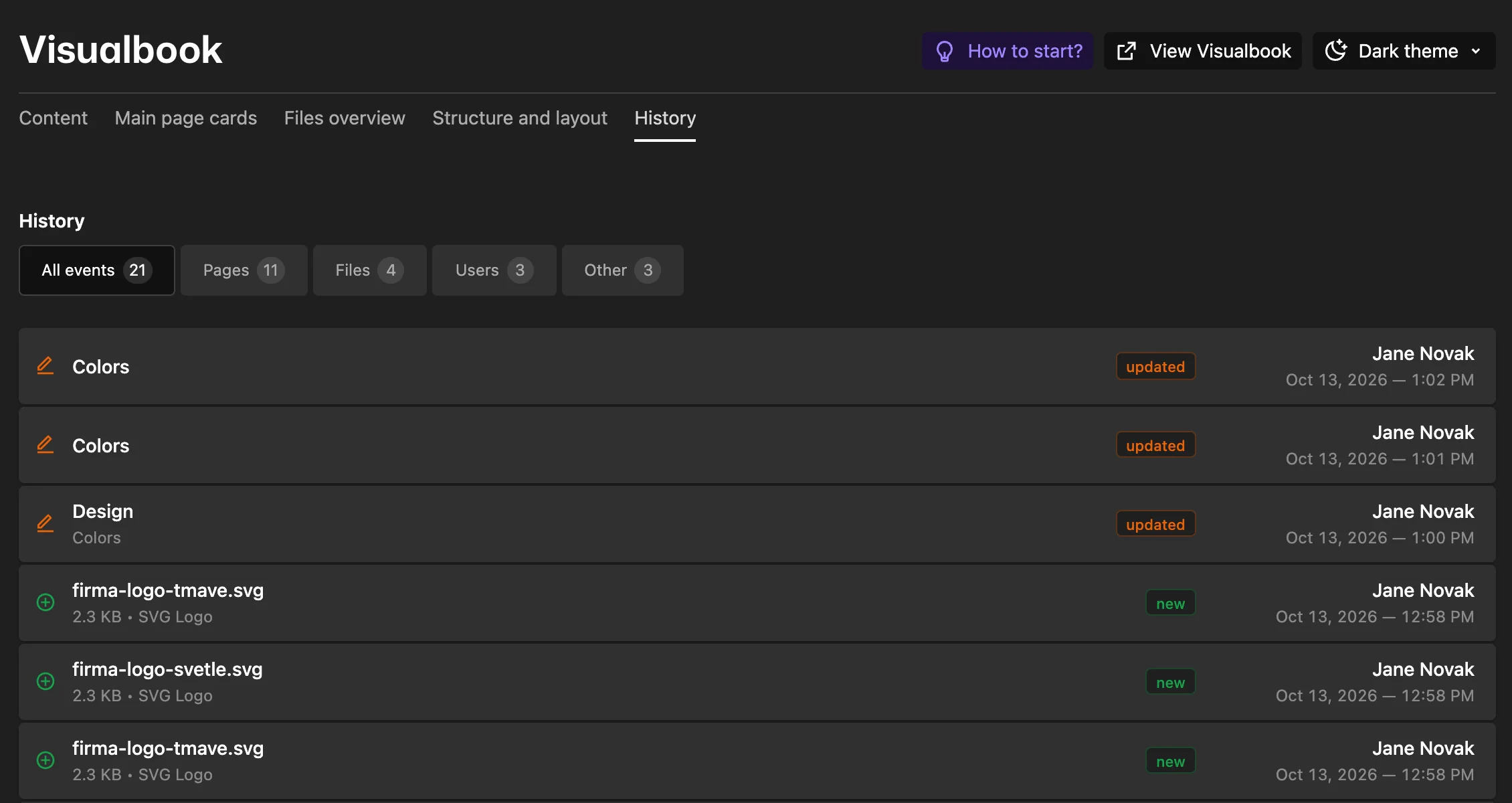
If you want to hear about changes without opening the panel, turn on Receive change reports in Your account. You get at most one email a day summarizing the past day’s edits, and only if something changed. It is sent after the configured time of day, 18:00 by default.
Questions and answers
Are the analytics backed up too?
Analytics live on the manual’s server, so they are part of the server backup. They are not included in exports.