
Visualbook 6.1.2
A maintenance release. The manual is easier to read on a phone, the file overview shows how much space is taken by files you no longer use, and one button cleans them up. The icon module can show all icons in a colour of your choice, and the static export has its animations and fonts back without errors. The AI connector no longer bothers you with a sign-in window.
File overview — cleaning up unused files4
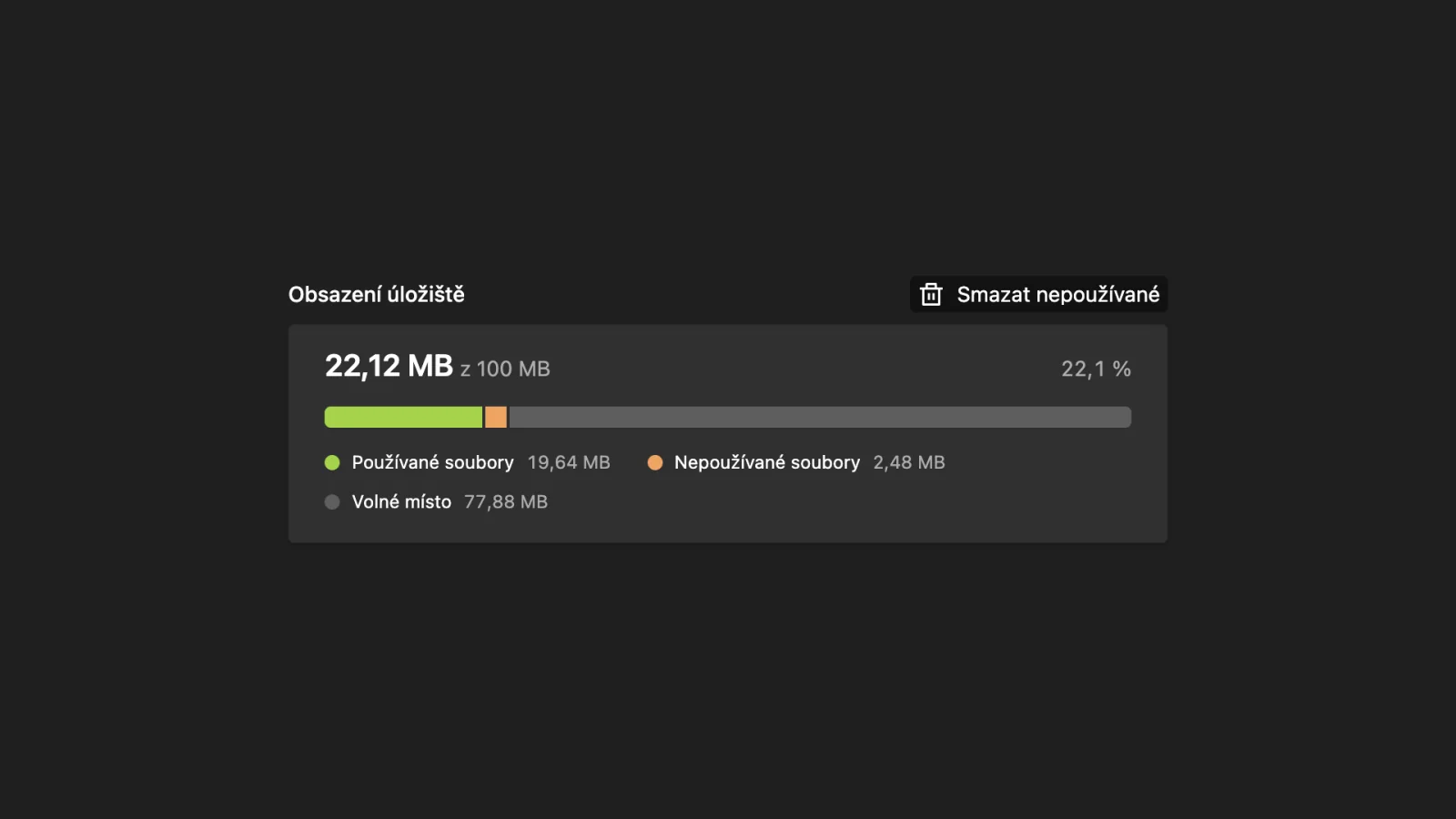
- Storage usage chart — the bar above “Storage information” shows how much space is taken by used files, how much by unused ones and how much is left until the limit. Hover over it (or tap it) to see the exact values.
- Size of unused files — the “Show unused” toggle shows in brackets how much space deleting them would free up.
- “Delete unused” button (admin and manager) — the dialog shows the number and size of the files and then deletes them in batches. Before each batch it checks again that a file has not started being used in the meantime; if it has, it stays.
- More reliable detection of unused files — a file now also counts as used when it is linked from text, from an unsaved draft change, from a language you no longer have switched on, or from a custom online tool. The logopack for the AI export and the fallback logo are never offered for deletion either.
The manual on a phone7
We went through every page of the manual at the width of a regular and a small phone.
- Tables have narrower cells on a phone, so three- and four-column tables fit. When a table is still wider than the screen, its right edge fades out so the reader knows it can be scrolled.
- Download buttons for images, tables, videos and other sections: the label wraps instead of ending with an ellipsis.
- The logo card fits on a phone in full — the PDF/SVG buttons and the width and PNG settings sit side by side, the tabs are on one line and the page no longer overflows sideways.
- Icons use a denser grid on mobile, and the ZIP download button has its own line.
- Search is tucked under the magnifying glass on a phone and takes the full width once opened; results wrap.
- Breadcrumbs show as many whole levels as fit and only then start shortening. On a computer the slash no longer overlaps the next item.
- Form fields (e.g. in the business card generator) no longer zoom the page in Safari on iPhone when tapped.
Icons — default colour2
The icon module has a new Default icon color field (pick a brand colour or enter your own). When it is filled in, all icons of the module are shown in this colour on the website — handy above all for white icons that are invisible on a white background. An empty field keeps the original colours. Uploaded files are not changed.
- The default colour applies in the grid as well as in the icon detail, and SVG, PNG, PDF and ZIP downloads use it too.
- Reset returns to the default colour. The paint bucket button and the colour dots light up only once a visitor picks a colour themselves.
Font information for Adobe Fonts too
For an Adobe Fonts cut, the font module only showed the number of characters under “Font information”. It now also lists the family, cut, foundry, designers and a link to the family page on Adobe Fonts.
AI connector (MCP)2
- The sign-in window no longer opens by itself every time you start your editor or AI tool. The connector connects quietly and asks you to sign in only when you actually want to work with the manual.
- The toggle in Administration → MCP server now switches sign-in off completely — the assistant then never asks you to sign in.
Fixes7
- A page with many large icons now loads (it used to fail with “Allowed memory size exhausted”). Icons were embedded straight into the page, so with dozens of 1–2 MB SVGs the page grew to over 80 MB. Large icons now load as images while you scroll, and the detail, recolouring, copying and downloading work as before.
- Animations in the static export — the circles on the colour card and uploaded Lottie animations now play in the export (web and offline).
- No more console errors in the offline export — pages no longer look for a non-existent
private/inline.jsfile or preload fonts needlessly, and the character specimen no longer tries to download the font file first. Fonts displayed fine before as well; the console errors are simply gone. - Search finds pages by their title — on slower hosting it could return only files or “Nothing found” even when the query matched a page title exactly.
- Logo PDF from the download button no longer contains a clipping mask around the whole artwork, so Illustrator opens it as a regular drawing rather than a clipping group. The PDF looks the same. The same applies to icon PDF downloads.
- Custom online tool with a top bar now has the manual footer below it.
- Deleting a file keeps the page intact — on a manual that used to have more languages, the description of a deleted file could remain in another language and the page then “lost” its type. A file is now deleted together with its descriptions in all languages.