
Visualbook 6.1.1
Adobe Fonts support
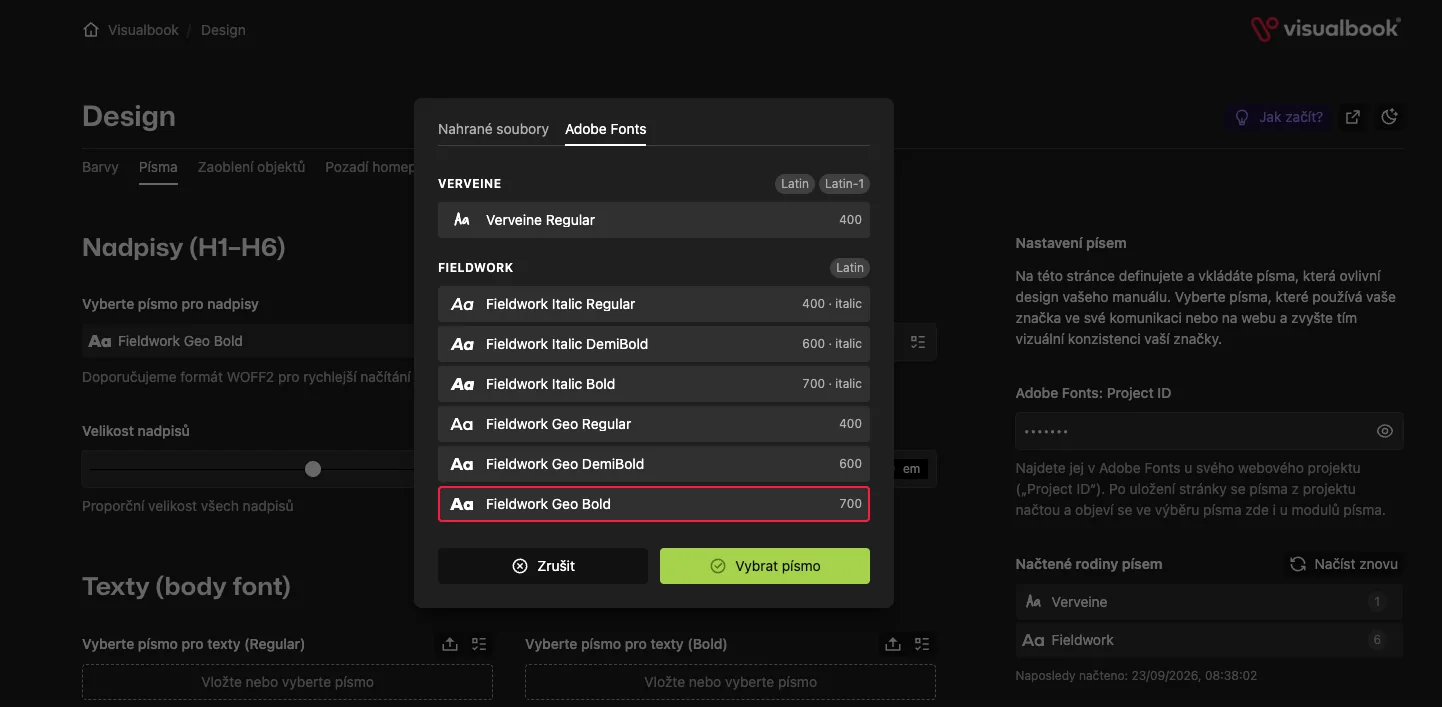
On the Design → Fonts page you enter a single Project ID of your web project from Adobe Fonts. Once you save, the fonts from the project are loaded and from then on you can pick them everywhere: for headings, for body text, in font modules and on the preview card.
- You can drag a font into the field with the mouse (drag & drop), not just pick it or upload it with a button.
- You can see what a font can do. Every family lists the character sets it contains and, on hover, which of the manual's languages it supports. You know in advance whether the font will handle Czech, for example.
- Typography settings (ligatures, stylistic sets, small caps…) offer exactly the same options for an Adobe font as for an uploaded file.
- The Project ID is hidden like a password in the admin; you reveal it with the eye button.